

Modelo 130: A Step-by-Step Guide to the IRPF Instalment Payment


 6. October, 2026
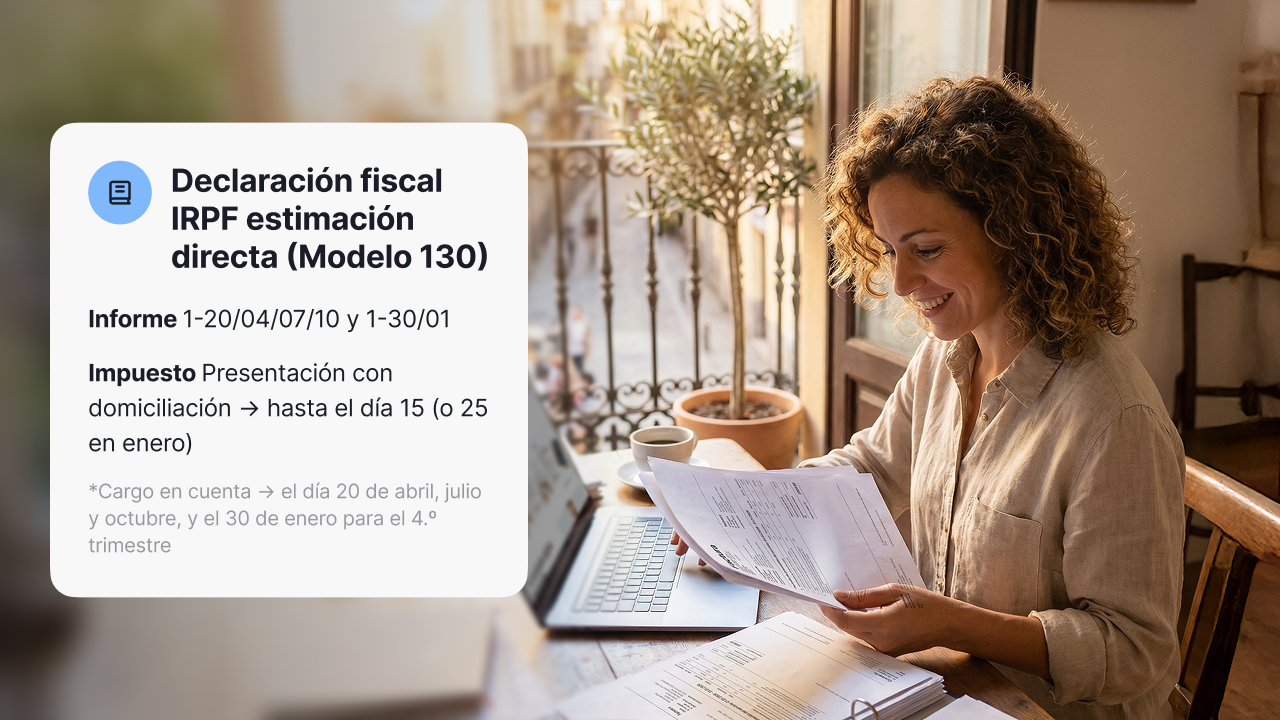
Modelo 130 (tax form 130) is the quarterly return for the IRPF instalment payment (pago fraccionado): through it, self-employed people (autónomos) under direct assessment (estimación directa) pay the AEAT (Spanish Tax Agency) part of the personal income tax (IRPF) on their activity in advance. The calculation is always the same: year-to-date income, minus deductible expenses, times 20%, minus the tax withheld from your invoices and what you have already paid in earlier quarters. This Modelo 130 step-by-step guide for the self-employed in Spain explains who must file it, the deadlines, how to calculate it box by box with a full-year example, and which mistakes to avoid.
What is Modelo 130 and who must file it?
Modelo 130 for the self-employed in Spain is the quarterly form used to pay IRPF on your business activity in advance. It is not an extra tax: it is a payment on account of your annual income tax return (Renta). Each quarter you work out your year-to-date profit and pay 20% of that amount in advance. Everything you pay is deducted later in your Renta, so if you have paid too much, the Tax Agency (Hacienda) refunds the difference.
The aim is to spread the tax across the year instead of paying it all at once with the annual return. Filing late or not filing at all means surcharges and penalties, plus a bigger tax bill when the Renta comes round.
Who has to file it?
Who must file Modelo 130 depends on the tax regime you have chosen. Sole traders and professionals taxed under direct assessment must file, both in the standard version and under simplified direct assessment in Spain (estimación directa simplificada), the most common option among the self-employed. This table sums up the most frequent cases:
| Your situation | Do you file Modelo 130? | Why |
|---|---|---|
| Sole trader or shopkeeper under direct assessment | Yes | No tax is withheld from your invoices. |
| Professional who invoices mainly private individuals or foreign clients | Yes | No tax is withheld from those invoices. |
| Professional with withholding on less than 70% of their income | Yes | The withholding does not cover enough. |
| Professional with withholding on 70% or more of their income | No | Your clients already pay IRPF in advance for you. |
| Self-employed under objective assessment (módulos) | No | You file Modelo 131. |
Who does not have to file it?
The main exception is the 70% rule: if at least 70% of the income from your professional activity had tax withheld last year, you do not have to file Modelo 130. In the year you start your activity, the reference is your invoicing for that same tax year. The rule only applies to professional activities; business activities, such as retail or hospitality, always file.
Do you have to file even if you made no profit?
Yes. If you are required to file, you must file the form every quarter, even when the result is zero or negative. In that case you pay nothing, but the return is still filed.

When do you have to file Modelo 130?
Modelo 130, the quarterly income tax return in Spain, is filed four times a year, in the first twenty calendar days of the month after each quarter ends. The fourth quarter has a longer deadline, until 30 January. If you want to pay by direct debit (domiciliación), the deadline closes five days earlier. These are the Modelo 130 deadlines set by the AEAT:
| Quarter | Period you report | Filing deadline | Deadline if you pay by direct debit |
|---|---|---|---|
| First quarter (1T) | January to March | 1 to 20 April | Until 15 April |
| Second quarter (2T) | January to June | 1 to 20 July | Until 15 July |
| Third quarter (3T) | January to September | 1 to 20 October | Until 15 October |
| Fourth quarter (4T) | January to December | 1 to 30 January of the following year | Until 25 January |
If the last day of the deadline falls on a Saturday, a Sunday or a public holiday, the deadline moves to the next working day.
What happens if you file late?
It depends on whether there is an amount payable and on whether you file before the Tax Agency asks you to:
| Situation | Consequence |
|---|---|
| Amount payable, you file on your own initiative less than one month late | Surcharge (recargo) of 1% of the amount. |
| Amount payable, you file on your own initiative between 1 and 12 months late | Surcharge of 1% plus an additional 1% for each full month of delay. |
| Amount payable, you file on your own initiative more than 12 months late | Surcharge of 15% plus late-payment interest. |
| Amount payable and you receive a notice from the tax agency first | Penalty of between 50% and 150% of the unpaid amount, plus interest. |
| Zero or negative result, you file late | Fixed penalty of €100 if you file on your own initiative and €200 if there is a notice from the tax agency. |
How is the instalment payment calculated step by step?
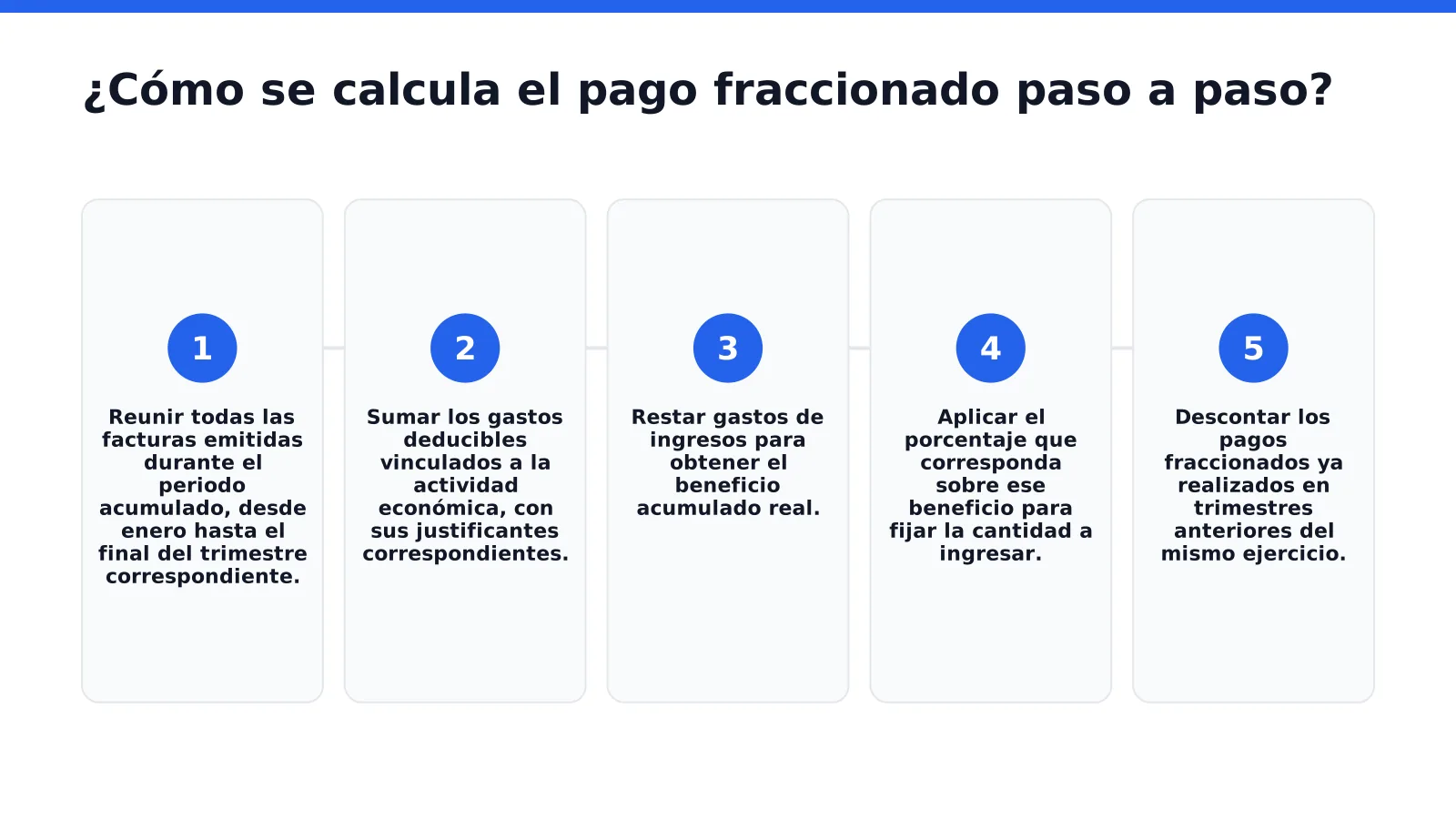
The Modelo 130 calculation is year-to-date: each quarter you start from your income and expenses from 1 January to the last day of the quarter you are reporting, not just those of that quarter. That is why each return deducts what you already paid in the earlier ones. The whole formula fits on one line:
Instalment payment = (year-to-date income − year-to-date expenses) × 20% − payments from earlier quarters − tax withheld from your invoices
The Modelo 130 boxes, one by one
The Modelo 130 calculation boxes follow the same order as the formula. Boxes (casillas) 01 to 07 make up section I, for business activities under direct assessment:
| Box | What goes in it | Where it comes from |
|---|---|---|
| 01 | Year-to-date income | The sum of the taxable base (amount before VAT) of all the invoices you have issued since 1 January. |
| 02 | Year-to-date deductible expenses | The sum of your business expenses since 1 January, before VAT, including depreciation and hard-to-justify expenses. |
| 03 | Net income | Box 01 minus box 02. It can be negative. |
| 04 | 20% of net income | 20% of box 03. If box 03 is negative, enter zero. |
| 05 | Payments from earlier quarters | The sum of the positive box 07 amounts from earlier quarters of the same year. |
| 06 | Tax withheld from your invoices | The withholding your clients have applied since 1 January. |
| 07 | Instalment payment | Box 04 minus boxes 05 and 06. |
Boxes 08 to 11 are only for farming, livestock, forestry and fishing activities. Section III completes the return:
| Box | What goes in it | Where it comes from |
|---|---|---|
| 12 | Sum of instalment payments | Box 07 plus box 11. If it is negative, enter zero. |
| 13 | Reduction for low income | Between €25 and €100 per quarter if your net income for the previous year did not exceed €12,000. |
| 14 | Difference | Box 12 minus box 13. |
| 15 | Earlier negative results | Negative amounts from earlier quarters of the same year, up to the amount in box 14. |
| 16 | Main-home deduction | Only if you are paying a loan on your home that qualifies for the deduction: 2% of box 03, up to €660.14 a year. |
| 17 | Total | Box 14 minus boxes 15 and 16. |
| 18 | Supplementary return | Only if you are correcting a return already filed for the same quarter. |
| 19 | Result of the return | Box 17 minus box 18. This is the amount you pay. |
In most cases there is no reduction, main-home deduction or supplementary return, so the result in box 19 is the same as in box 07.
Which expenses go in box 02?
Expenses linked to your activity, backed by an invoice and recorded in your expense ledger. The most common are:
- Your self-employed social security contribution.
- Rent for your premises or workspace, and its utilities.
- Software, tools and work materials.
- Services from other professionals.
- Depreciation of equipment and investments.
Under simplified direct assessment you can add hard-to-justify expenses (gastos de difícil justificación): 5% of net income, up to €2,000 a year. They need no invoice and are added to the rest of the expenses in box 02.
How much is deducted in box 13?
If your net income for the previous year was €12,000 or less, you can deduct a fixed amount each quarter:
| Net income for the previous year | Reduction per quarter |
|---|---|
| Up to €9,000 | €100 |
| From €9,000.01 to €10,000 | €75 |
| From €10,000.01 to €11,000 | €50 |
| From €11,000.01 to €12,000 | €25 |
A full-year worked example
A self-employed designer who invoices private individuals, with no withholding and no reduction. The figures in each column are year-to-date, from January:
| Item | 1T | 2T | 3T | 4T |
|---|---|---|---|---|
| Year-to-date income (box 01) | €9,000 | €20,000 | €27,000 | €38,000 |
| Year-to-date expenses (box 02) | €3,000 | €7,000 | €11,000 | €14,500 |
| Net income (box 03) | €6,000 | €13,000 | €16,000 | €23,500 |
| 20% of net income (box 04) | €1,200 | €2,600 | €3,200 | €4,700 |
| Earlier payments (box 05) | €0 | €1,200 | €2,600 | €3,200 |
| Tax withheld (box 06) | €0 | €0 | €0 | €0 |
| Amount payable (boxes 07 and 19) | €1,200 | €1,400 | €600 | €1,500 |
In the second quarter you do not pay €2,600, but the difference from what you already paid in the first. By the end of the year the four payments add up to €4,700, exactly 20% of the annual net income of €23,500.
What if some of your invoices have tax withheld?
Withholding is deducted in box 06. Suppose that, in the first quarter of the example, €4,000 of the €9,000 invoiced goes to companies and has 15% withheld: that is €600 your clients have already paid in advance. The instalment payment drops from €1,200 to €600.
What happens if the result is negative?
You pay nothing, but you still file the form and mark it as a negative result. You do not lose what you have paid in advance: because boxes 05 and 06 are year-to-date, that quarter's payments and withholding still count in the next one. If by the end of the year you have paid more than you owe, you get it back in your annual income tax return.
What happens if I leave an invoice out of the calculation?
A missing item of income or expense changes your net income and, with it, the amount payable. Because the calculation is year-to-date, the slip can be fixed by including the invoice in the next quarter, but the safest approach is to record each transaction as it happens. When you connect your bank to your invoicing software, no movement is left unrecorded.
Do you have to recalculate everything from scratch each quarter?
No. If your records are up to date, you just add the new quarter's invoices and expenses to the year-to-date totals. With Conta.es, you enter your income and expenses and the software calculates the tax and prepares your quarterly filing and annual summary, with no accounting knowledge needed. All you have to do is check the figures and file.
How do you file Modelo 130 with the Tax Agency?
Working out how to fill in Modelo 130 is simple once your figures are ready. Modelo 130 for the self-employed in Spain is filed online, through the AEAT online office (Sede Electrónica). You can fill in the form online or import a file generated by accounting software, which saves you typing the boxes one by one.
- Prepare your figures. Have your year-to-date income, expenses and withholding to hand, or generate the form file from your accounting software.
- Go to the AEAT online office. Identify yourself with a digital certificate, Cl@ve or electronic DNI.
- Find the Modelo 130 procedure. Choose the relevant tax year and quarter.
- Fill in the form or import the file. If you use a file, select the "Con fichero" option and upload it.
- Check the boxes and choose how to pay. Direct debit, charge to your account or payment with an NRC code if there is an amount payable.
- Sign, submit and keep the filing receipt. The PDF with the verification code is your proof of filing.
Why does it matter to have your invoices in order before filing?
Modelo 130 is only as reliable as the figures behind it. Conta.es's integration with VeriFactu checks that each invoice is compliant with the invoicing rules before your quarterly profit is calculated. You can also get paid by QR code on the spot, which is useful if you work without a till and need every item of income to be recorded.
Which mistakes should you avoid when filing Modelo 130?
Most mistakes in Modelo 130 for the self-employed in Spain come from preparing the return at the last minute or accepting figures without checking them against your invoices. Before you submit your quarterly income tax return in Spain, it is worth going through the most common ones:
| Mistake | What it causes | How to avoid it |
|---|---|---|
| Reporting only that quarter's amounts | An incorrect net income and a result that does not match your earlier payments. | Always add up from 1 January. |
| Not deducting earlier payments | You pay twice on the same profit. | Enter in box 05 what you paid in earlier quarters. |
| Forgetting the tax withheld from your invoices | You pay more in advance than you owe. | Add up the withholding on the invoices you issued in box 06. |
| Including VAT in income or expenses | Inflated amounts in boxes 01 and 02. | Report only the amount before VAT. |
| Deducting expenses with no supporting document or unrelated to your activity | The Tax Agency can reject them and claim the difference with a surcharge. | Keep the invoice for every expense and deduct only those of your activity. |
| Not filing when the result is negative | A penalty for not filing on time. | File every quarter, even when there is nothing to pay. |
| Leaving it to the last day | You lose the direct debit option and risk a surcharge. | Prepare the return in the first week of the filing period. |
Is it worth practising before you file the real form?
Yes. Testing the calculation with your own figures before the deadline makes mistakes less likely. Conta.es gives you 180 days free, no card required: enough time to prepare at least one full quarter without pressure.
Conclusion
Modelo 130 stops being an awkward chore once your books are up to date. With income and expenses recorded as they happen, the calculation comes down to applying 20% to your year-to-date profit and deducting withholding and earlier payments. Note the four deadlines, check the figures before you submit and keep every filing receipt: that way the instalment payment is spread across the year and your annual income tax return holds no surprises.