



Save time
No need to rewrite receipts anymore - everything arrives automatically

Lower tax burden
Get more deductible expenses effortlessly

Automatic categorization
The system proposes the category, you just confirm

Look what's paid
Check the status of invoices and relate them to income

Everything in one place
One view for all transactions - clear and secure
How does it work?
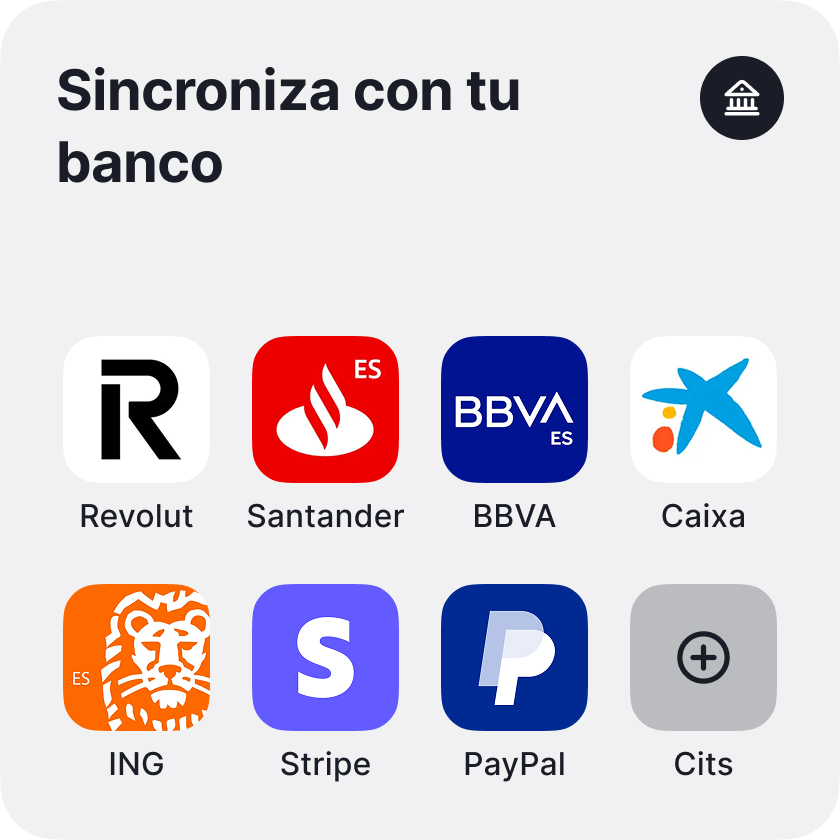
Add account
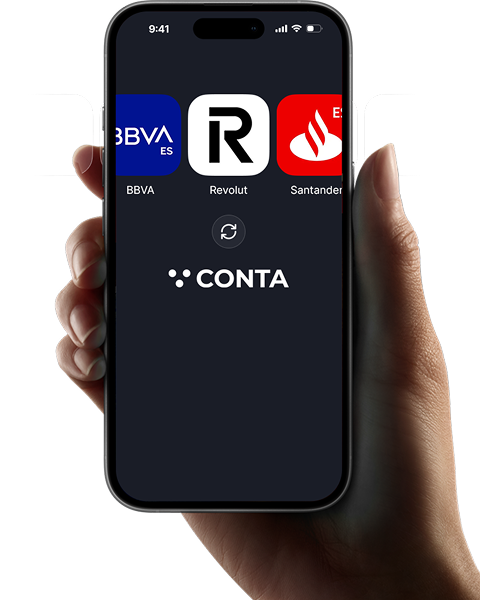
Choose your bank (BBVA, CaixaBank, Santander, Revolut, etc.) and authorizer through a secure connection
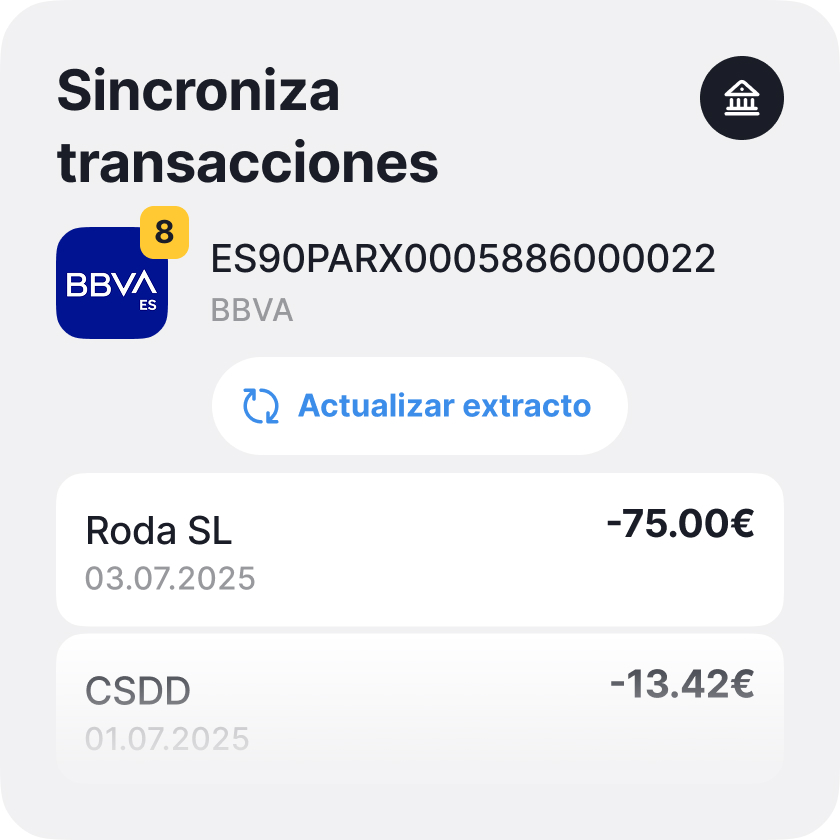
Import transactions
Press “Update statement”: all the most recent transactions will appear in the system
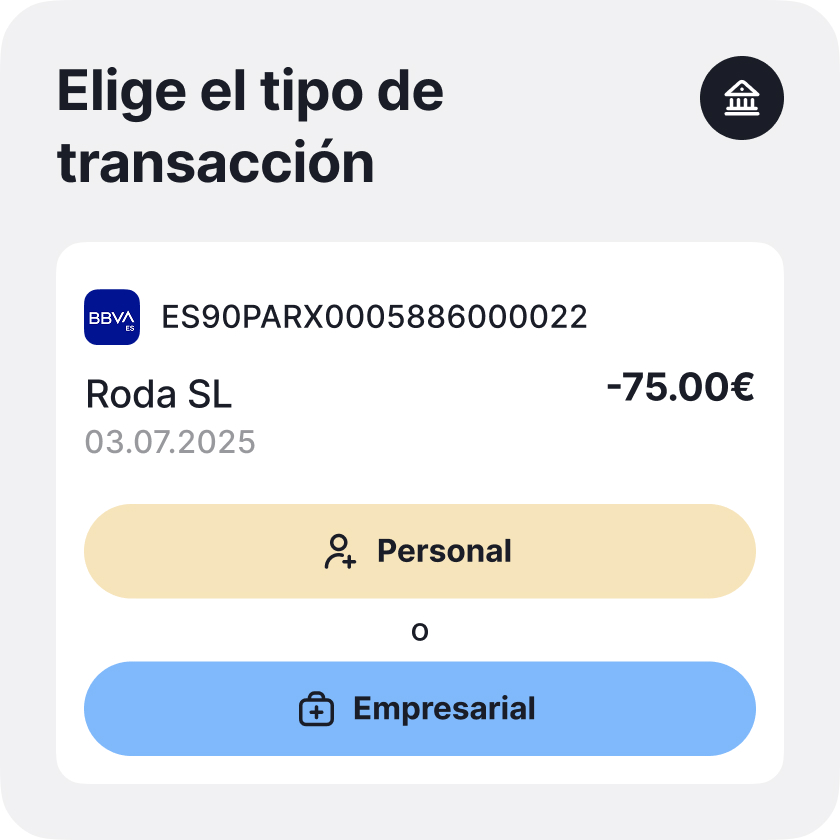
Mark and process
Press “Create” or “Link transaction”





There are already more than 20,000 users in Europe
You just have to enter the data. Income, expenses, receipt or invoice: the rest is calculated, organized and remembered by conta.es
Accounting with banking integration helps

Get more deductible expenses
No need to rewrite receipts or search for transfers

Save time
Reduce tax burden without additional effort
Automate accounting
The system suggests a category based on the transaction description, but the final decision is yours

Classify transactions
Everything is visible: mark, add a category and save to the registry

Track payment statuses
See which invoices are not yet paid, which are paid, and the system links the payment to the transaction

How does it help on a daily basis?

You pay the fuel
The transaction is seen immediately in the system
Paid parking or office supplies
They are no longer forgotten

Receive a commission or repay a credit
Everything accounted for
Split or classify expenses
It's also simple
Security without compromises
Connection via Salt Edge
PSD2 service provider with European license and high security standards

No access to storage
We do not see or store your banking username or password

Data on secure EU servers
All information is encrypted and stored in secure repositories in the European Union
Most used categories


Provision and receipt of services
Invoices, subscriptions, outsourced services

Bank interest and commissions
Loans, cards, maintenance

Purchase of materials
Office supplies, raw materials

Social security
News for freelancers

Personal investments in the company
When the entrepreneur invests personally

Cash deposits into the account

Obtaining or repaying loans

personal consumption
When the self-employed account is also used for personal expenses
180 days free

Description
- All Pro features included
- No card needed for 180 days
- When it ends, you choose the plan that fits your needs
Features
- Invoices, unlimited
- VeriFactu active
- Automatic bank sync
- Payments via QR or link, unlimited
- Your own logo, no Conta branding
- Receipt and invoice scanning, unlimited
- Language selection


- Model 349 intra-EU transactions
- Model 111 income tax withholding
- Model 303 quarterly VAT
- Model 130 direct-estimate income tax
- Form 115 Rental Withholdings
- Annual models: 180, 190, 347, 390
- Invoices issued 10 per month
- Income & expense tracking
- QR / link payments Unlimited
- Bank sync Excel
- Your own logo
- Multiple currencies
- Accountant
- VeriFactu option
- Receipt/invoice scanning

- Model 349 intra-EU transactions
- Model 111 income tax withholding
- Model 303 quarterly VAT
- Model 130 direct-estimate income tax
- Form 115 Rental Withholdings
- Annual models: 180, 190, 347, 390
- Invoices issued 10 per month
- Income & expense tracking
- QR / link payments Unlimited
- Bank sync Excel
- Your own logo
- Multiple currencies
- Accountant
- VeriFactu option
- Receipt/invoice scanning 10 per month

- Model 349 intra-EU transactions
- Model 111 income tax withholding
- Model 303 quarterly VAT
- Model 130 direct-estimate income tax
- Form 115 Rental Withholdings
- Annual models: 180, 190, 347, 390
- Invoices issued Unlimited
- Income & expense tracking
- QR / link payments Unlimited
- Bank sync Auto
- Your own logo Without Conta branding
- Multiple currencies
- Accountant
- VeriFactu option
- Receipt/invoice scanning Unlimited
- Model 349 intra-EU transactions
- Model 111 income tax withholding
- Model 303 quarterly VAT
- Model 130 direct-estimate income tax
- Form 115 Rental Withholdings
- Annual models: 180, 190, 347, 390
- Invoices issued 10 per month
- Income & expense tracking
- QR / link payments Unlimited
- Bank sync Excel
- Your own logo
- Multiple currencies
- Accountant
- VeriFactu option
- Receipt/invoice scanning
- Model 349 intra-EU transactions
- Model 111 income tax withholding
- Model 303 quarterly VAT
- Model 130 direct-estimate income tax
- Form 115 Rental Withholdings
- Annual models: 180, 190, 347, 390
- Invoices issued 10 per month
- Income & expense tracking
- QR / link payments Unlimited
- Bank sync Excel
- Your own logo
- Multiple currencies
- Accountant
- VeriFactu option
- Receipt/invoice scanning 10 per month
- Model 349 intra-EU transactions
- Model 111 income tax withholding
- Model 303 quarterly VAT
- Model 130 direct-estimate income tax
- Form 115 Rental Withholdings
- Annual models: 180, 190, 347, 390
- Invoices issued Unlimited
- Income & expense tracking
- QR / link payments Unlimited
- Bank sync Auto
- Your own logo Without Conta branding
- Multiple currencies
- Accountant
- VeriFactu option
- Receipt/invoice scanning Unlimited
Main functions of the system

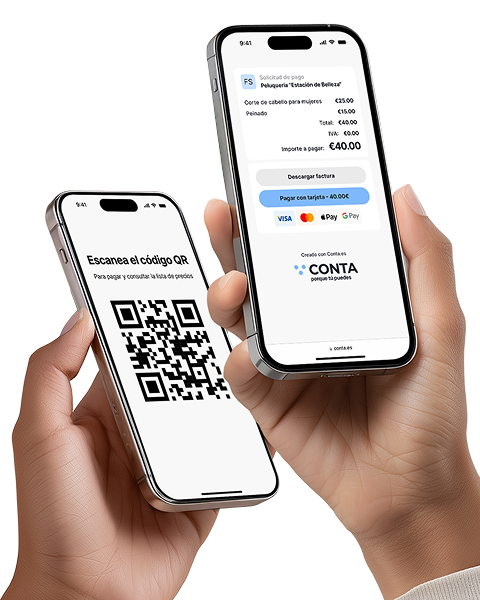
Receive payments without a terminal
Instantly with a QR code or link: ideal for those offering services without a cash register. Create the offer, the customer scans it and makes the payment

Recognition of receipts and invoices
Automation that really pays off! Save up to 80% of the time compared to manual data entry

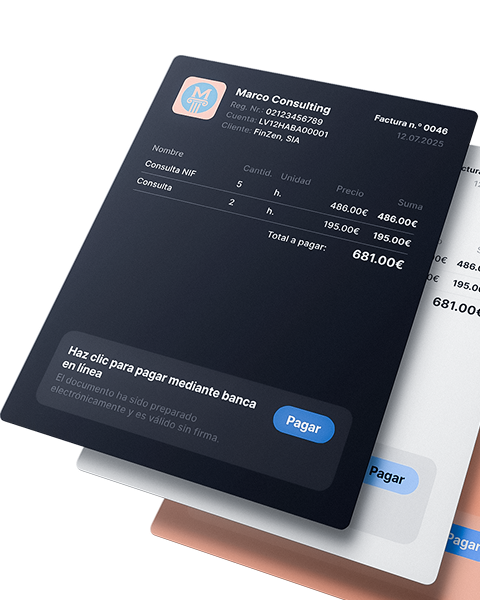
Issue invoices and receive payments faster!
Automate the invoice issuance process, receive payments faster and spend your time on what really drives your business

Reports and tax calendar
All reports and statements are generated automatically, from quarterly to annual summary. Just enter your income and expenses: the system will calculate the taxes for you, and you will only have to download (coming soon)

Banking integration and payment management
A faster, clearer way to record your business transactions.

Analytics and tips for expense control
Discover what expenses other freelancers in your sector deduct, receive recommendations and reminders about forgotten expenses (coming soon)

What do customers say?

 Madrid
 Valencia
 Barcelona
 Toledo

Receive only what you need and find useful.
Frequently asked questions
In the case of a self-employed person, you can also use a personal bank account for economic activity; In that case, it will be necessary to indicate in each transaction whether it corresponds to a personal expense or income or to professional activity.