

Your self-employed accounting in Spain, in your own language


VeriFactu, live today
Issue compliant invoices and submit them to the AEAT from Conta.


You decide — Invoice by invoice
with VeriFactu or without it

ES · EN · RU · RO
Choose your language for your convenience.
Main functions of the system

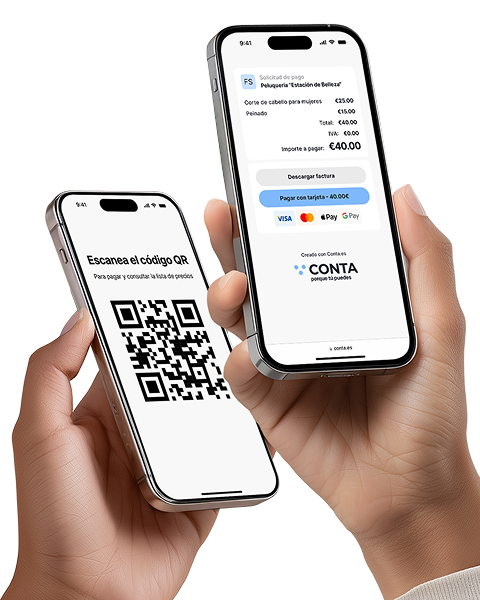
Receive payments without a terminal
Instantly with a QR code or link: ideal for those offering services without a cash register. Create the offer, the customer scans it and makes the payment

Recognition of receipts and invoices
Automation that really pays off! Save up to 80% of the time compared to manual data entry

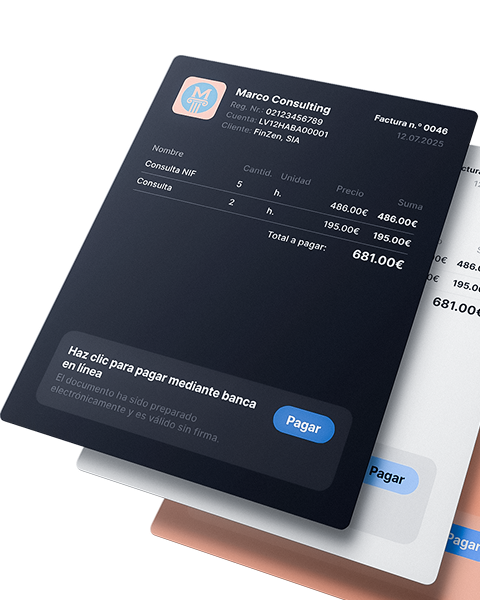
Issue invoices and receive payments faster!
Automate the invoice issuance process, receive payments faster and spend your time on what really drives your business

Reports and tax calendar
All reports and statements are generated automatically, from quarterly to annual summary. Just enter your income and expenses: the system will calculate the taxes for you, and you will only have to download (coming soon)


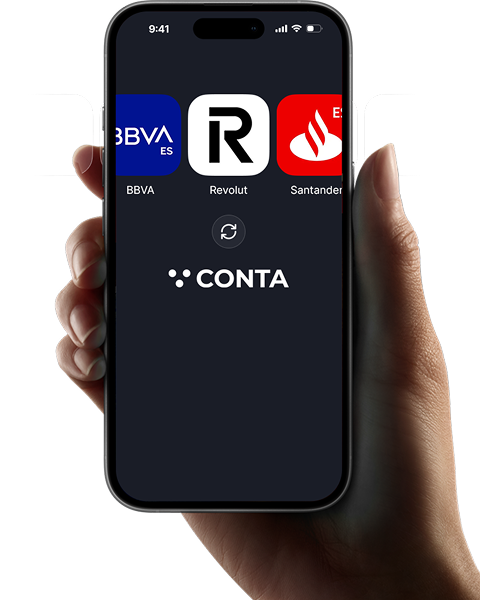
Banking integration and payment management
A faster, clearer way to record your business transactions.

Analytics and tips for expense control
Discover what expenses other freelancers in your sector deduct, receive recommendations and reminders about forgotten expenses (coming soon)

How Conta.es works
Enter your income and expenses and get reports automatically.

Registration in 1 minute




 Tax regime
 VAT status




An invoice with your logo, in a minute.
Choose the invoice design, add your logo and you can send it. It looks professional and convincing.

Send the invoice to the client in the way that is most convenient for them
Choose how to send the invoice: by email, WhatsApp or as a QR code. Fast, comfortable and without unnecessary steps.
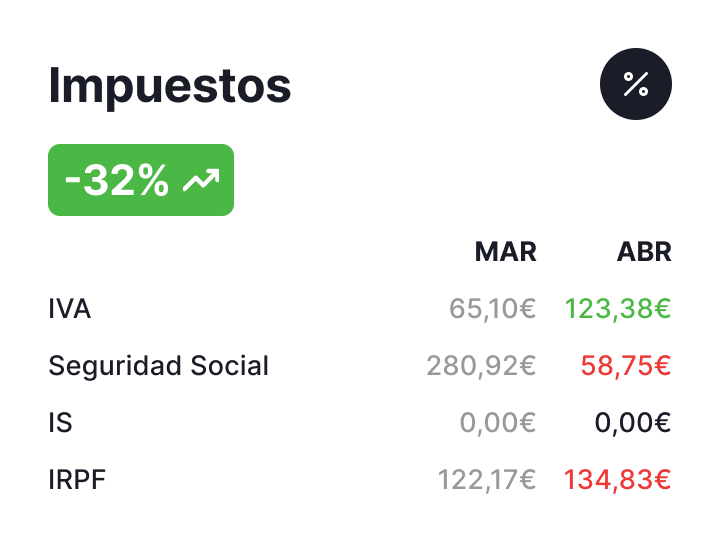
See how much you have to pay each month
VAT, personal income tax and social contributions in one place. Compare periods and track tax changes at a glance.
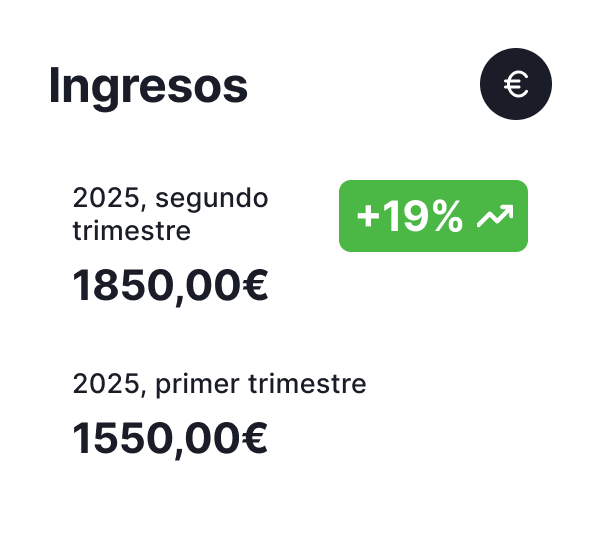
Always see how much you have earned
Profits, expenses and results: all clearly visible. No searches. Everything well organized.
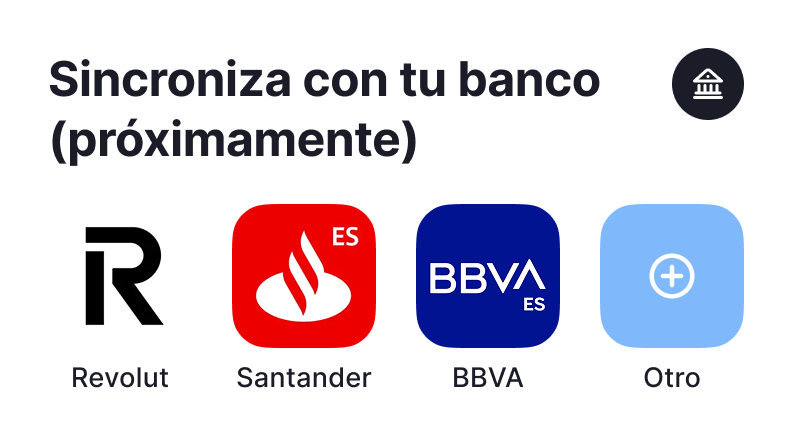
Synchronize your accounting with the bank
All transactions under control: much easier to do accounting. Less manual filling!

If you need it, add your accountant
The accountant views transactions and bank statements. There is no need to search for files or unnecessary communications; everything is clear and organized.

Payroll module - coming soon!
Forget the calculator. Calculate salaries, overtime and vacations automatically.

Tax deadlines - always visible
Deadline reminders. Mark as completed or add to calendar: everything under control.

So what do you get in the end?

Less routine, more focus on business
Invoices, alerts, tax calculations – it all happens automatically. There is no more Excel or manual reviews.
More confidence and peace of mind
Your cash flow in one place: you see how much you earn and what you can deduct as justified expenses.

Order in finances
VAT and IRPF tax returns are prepared automatically
Invoice sent: payment is on the way
Invoices with status: you see what is paid, what is late and where you need to act. Without having to ask. Without uncertainty.
We work alongside market leaders






What do customers say?

 Madrid
 Valencia
 Barcelona
 Toledo
180 days free

Description
- All Pro features included
- No card needed for 180 days
- When it ends, you choose the plan that fits your needs
Features
- Invoices, unlimited
- VeriFactu active
- Automatic bank sync
- Payments via QR or link, unlimited
- Your own logo, no Conta branding
- Receipt and invoice scanning, unlimited
- Language selection


- Model 349 intra-EU transactions
- Model 111 income tax withholding
- Model 303 quarterly VAT
- Model 130 direct-estimate income tax
- Form 115 Rental Withholdings
- Annual models: 180, 190, 347, 390
- Invoices issued 10 per month
- Income & expense tracking
- QR / link payments Unlimited
- Bank sync Excel
- Your own logo
- Multiple currencies
- Accountant
- Receipt/invoice scanning
- VeriFactu option

- Model 349 intra-EU transactions
- Model 111 income tax withholding
- Model 303 quarterly VAT
- Model 130 direct-estimate income tax
- Form 115 Rental Withholdings
- Annual models: 180, 190, 347, 390
- Invoices issued 10 per month
- Income & expense tracking
- QR / link payments Unlimited
- Bank sync Excel
- Your own logo
- Multiple currencies
- Accountant
- Receipt/invoice scanning 10 per month
- VeriFactu option

- Model 349 intra-EU transactions
- Model 111 income tax withholding
- Model 303 quarterly VAT
- Model 130 direct-estimate income tax
- Form 115 Rental Withholdings
- Annual models: 180, 190, 347, 390
- Invoices issued Unlimited
- Income & expense tracking
- QR / link payments Unlimited
- Bank sync Auto
- Your own logo
- Multiple currencies
- Accountant
- Receipt/invoice scanning Unlimited
- VeriFactu option
- Model 349 intra-EU transactions
- Model 111 income tax withholding
- Model 303 quarterly VAT
- Model 130 direct-estimate income tax
- Form 115 Rental Withholdings
- Annual models: 180, 190, 347, 390
- Invoices issued 10 per month
- Income & expense tracking
- QR / link payments Unlimited
- Bank sync Excel
- Your own logo
- Multiple currencies
- Accountant
- Receipt/invoice scanning
- VeriFactu option
- Model 349 intra-EU transactions
- Model 111 income tax withholding
- Model 303 quarterly VAT
- Model 130 direct-estimate income tax
- Form 115 Rental Withholdings
- Annual models: 180, 190, 347, 390
- Invoices issued 10 per month
- Income & expense tracking
- QR / link payments Unlimited
- Bank sync Excel
- Your own logo
- Multiple currencies
- Accountant
- Receipt/invoice scanning 10 per month
- VeriFactu option
- Model 349 intra-EU transactions
- Model 111 income tax withholding
- Model 303 quarterly VAT
- Model 130 direct-estimate income tax
- Form 115 Rental Withholdings
- Annual models: 180, 190, 347, 390
- Invoices issued Unlimited
- Income & expense tracking
- QR / link payments Unlimited
- Bank sync Auto
- Your own logo
- Multiple currencies
- Accountant
- Receipt/invoice scanning Unlimited
- VeriFactu option