
How to easily issue invoices in Conta.es


 13. March, 2026
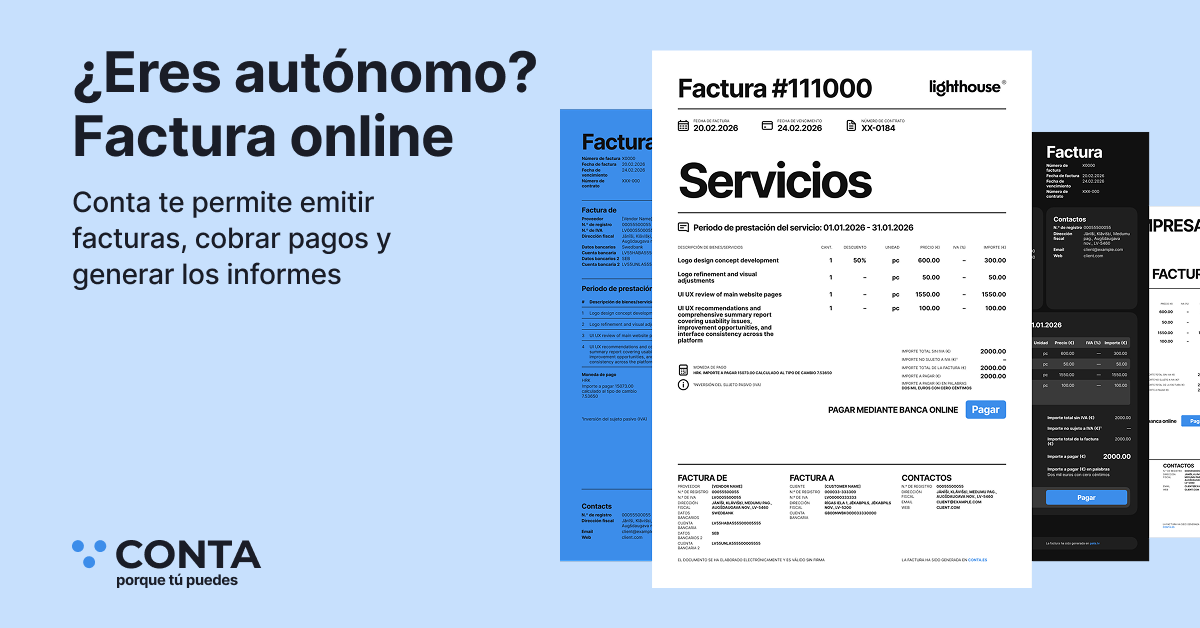
Issuing invoices is one of the key functions of the Conta.es system.
The system is designed so that any self-employed person or freelancer can start working without accounting knowledge and without complex settings.
Immediately after registration, the workflow becomes logical and straightforward. First, you configure your details, then you set the invoice numbering parameters, and after that you can start issuing invoices to your clients.
In addition, you can try the system free for 60 days, without entering your bank card details and without any commitment. During this time, you will be able to test all the functions and calmly decide whether the system is right for you.
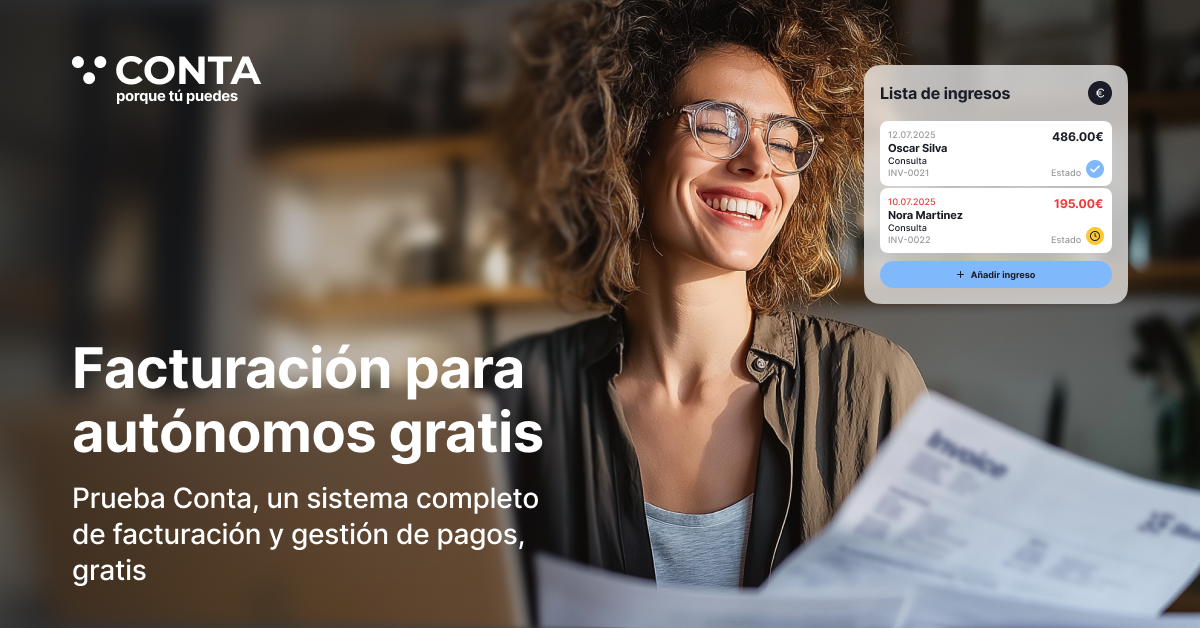
It is also important to know that if you issue up to 10 invoices per month, you can use the invoicing function free of charge.
Our electronic invoicing feature complies with Spanish VeriFactu regulations.
You can choose whether to issue invoices within the VeriFactu system or outside it.
Step 1. Notification and language settings
Before you start working with invoices, you can configure the system notifications.
These may include:
- notifications about report creation
- tax reminders
- system recommendations
- changes in document statuses
You can also choose the email sending frequency:
- immediately
- daily
- weekly
- monthly
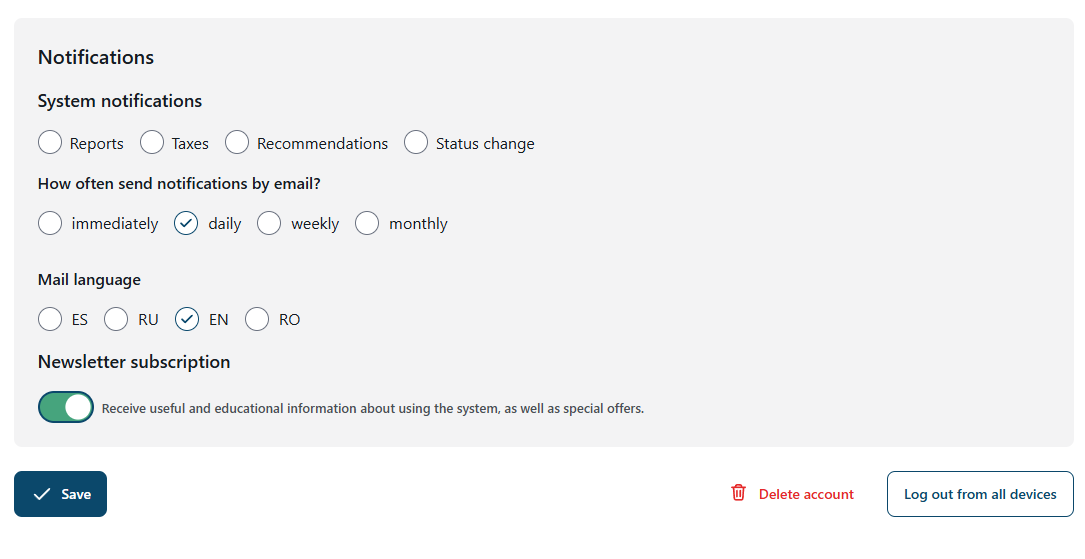
Choose the language of the system emails.
The Conta.es interface is available in four languages:
- Spanish
- English
- Russian
- Romanian
Step 2. Initial invoicing setup
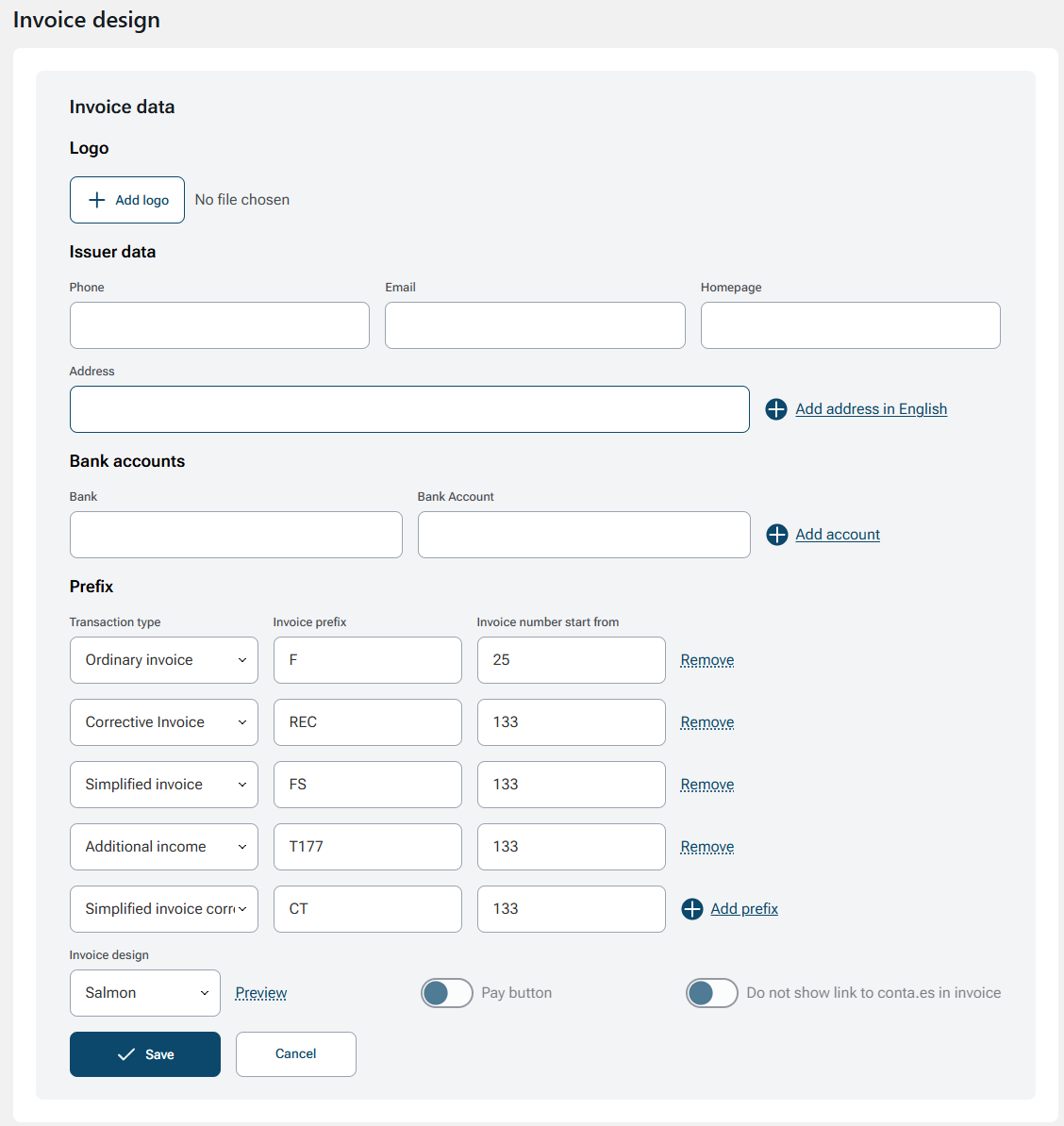
After registration, you can go to the invoice settings section to prepare the system before creating your first invoice.
In this section, you can fill in the main details:
- phone number
- email address
- website
- address
- bank accounts
You can also add a logo, which will automatically appear on all invoices.
Automatic invoice numbering
The system allows you to configure invoice series and numbering.
The following invoice types are available:
- standard invoice
- corrective invoice
- simplified invoice
- additional income
For each type, you can set its own series and starting number (this is important if you have already issued invoices this year in another system).
This helps keep accounting in order and comply with the requirements of tax legislation.
Payment link in the invoice
In Conta.es, you can also add a payment link directly to the invoice. To do this, you need to connect a payment provider.
This way, your client will be able to pay the invoice directly from the received document. In addition, you will be able to request payment using a QR code on your phone, which is especially convenient if you provide services outside the office, for example during a client visit.
This significantly speeds up receiving payments and makes working with clients more convenient and professional.
You will no longer need invoice templates in Excel. You will forget this like a nightmare, together with all the associated problems: creating invoices manually takes a lot of time; it is easy to make mistakes in dates or invoice numbers; you may forget to change the client's details in the template or overlook some important detail.
Conta.es is not created only to issue invoices - it is a complete management system for self-employed professionals. Invoicing is only one of the platform features.
But if issuing up to 10 invoices per month is enough for you, you will be able to use the invoicing function free of charge.
Step 3. Completing the details before issuing invoices
When you create an invoice for the first time, the system will ask you to confirm some basic details:
- NIF
- main activity code
- bank
- bank account
- address
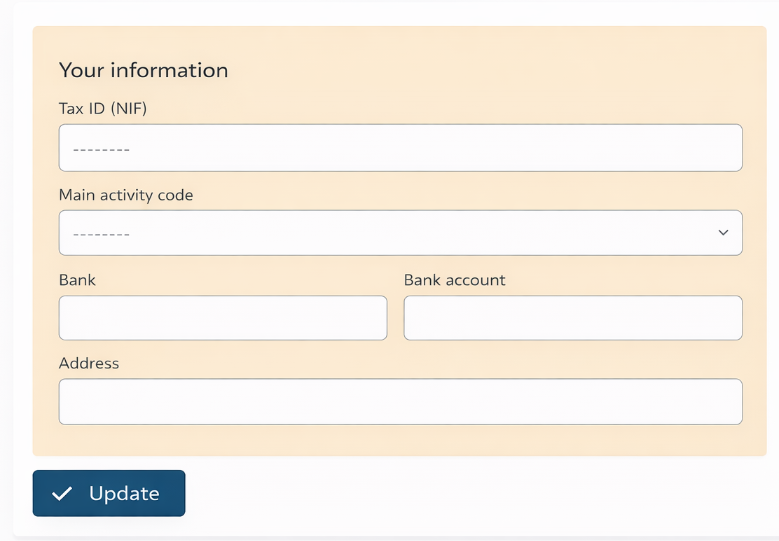
These details will be automatically added to all invoices.
Step 4. Creating a new invoice
After setting up the system, you can create your first invoice.
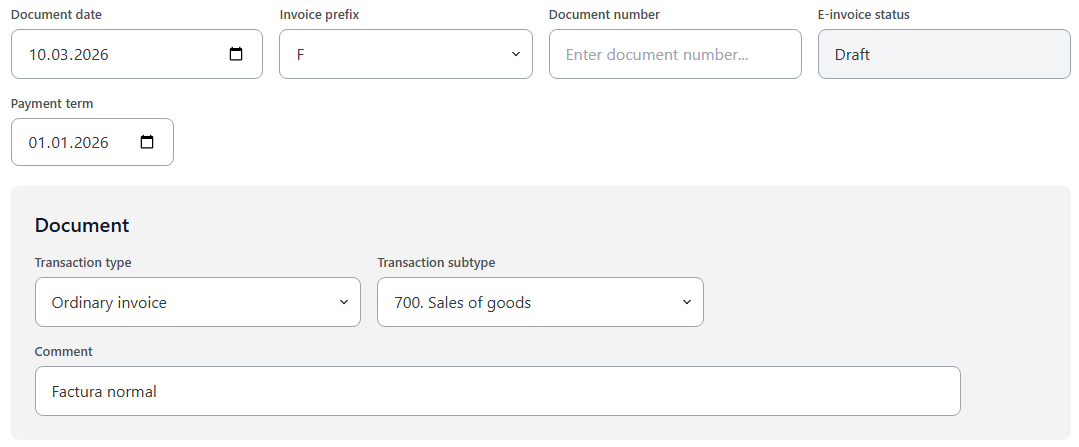
The invoice form is very simple and logical.
You need to specify:
- invoice date
- series
- number
- document status
- payment date (if necessary)
Accounting integration
The system also allows you to select the type of accounting operation and the corresponding accounting account.
For example:
- standard invoice
- simplified invoice
This allows the invoice to be automatically recorded in the accounts.
Step 5. Adding the client details
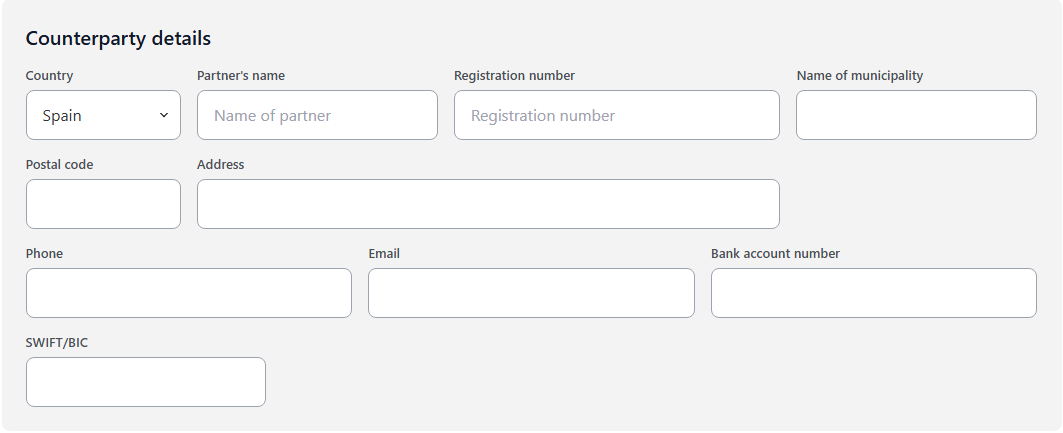
To issue an invoice, it is necessary to complete the client's details:
- name or company name
- NIF or CIF
- address
- postal code
- city
- phone number
If necessary, you can also indicate the client's bank account or SWIFT code.
Step 6. Adding products or services
Next, you need to add the product or service that you are including in the invoice.
You can indicate:
- currency
- service or product
- IRPF withholding
- description
- price
- quantity
The system automatically calculates:
- the taxable base
- VAT
- the total invoice amount
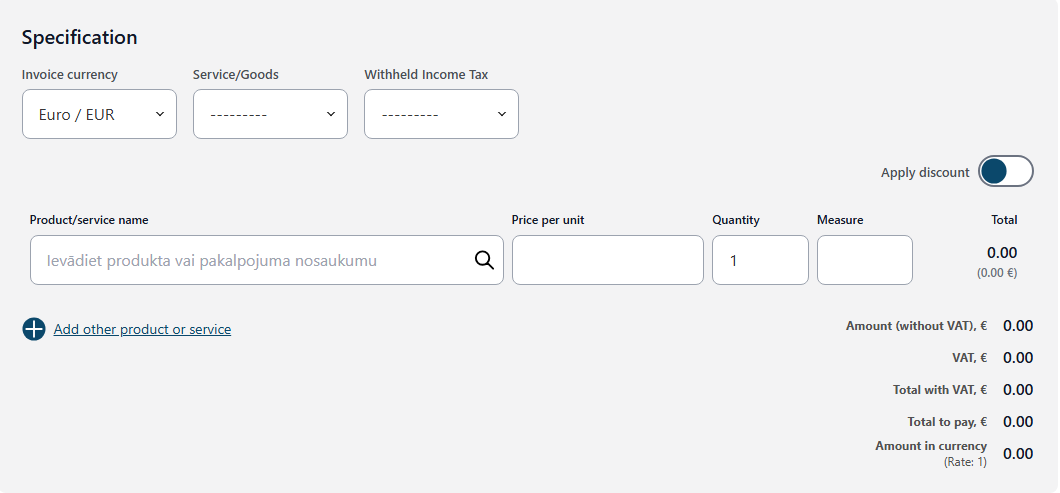
You can also add a discount if necessary.
Product and service catalog
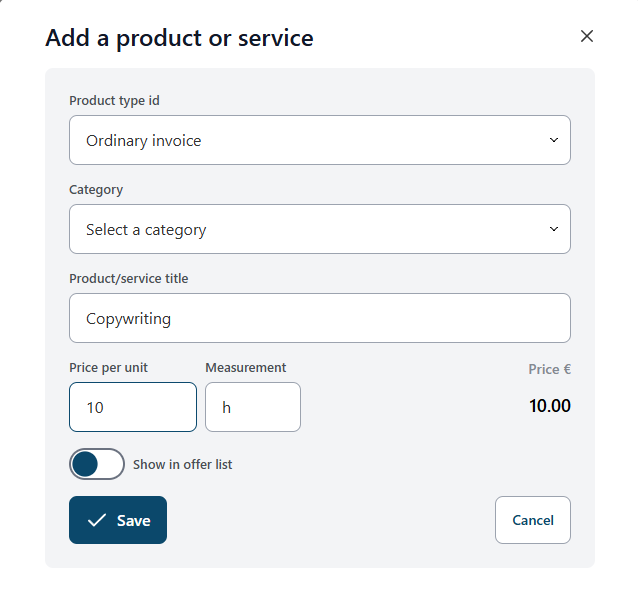
To speed up your work, the system allows you to create a product or service catalog.
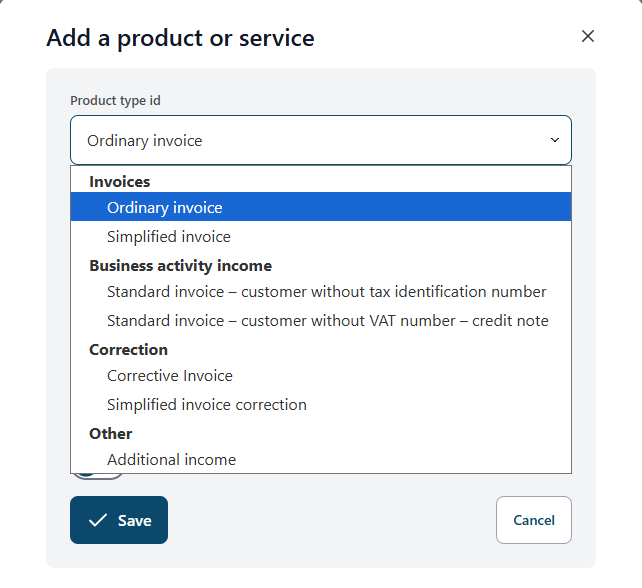
After that, you will be able to add them to the invoice in just a few seconds.
This is especially convenient if you regularly sell the same services.
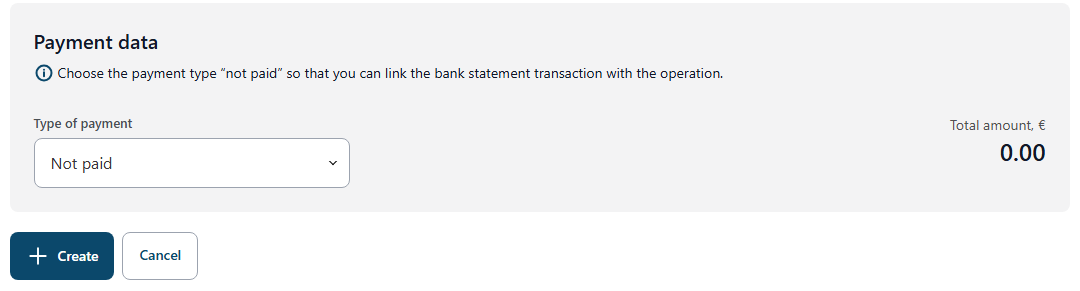
Step 7. Selecting the payment method
At the final stage, you can indicate the invoice payment method:
- bank transfer
- cash
- card
- not defined
This makes it possible to later link the invoice to a bank transaction.
Working with an accountant
In Conta.es, you can also invite your accountant into the system.
The accountant will be able to:
- see all issued invoices
- download documents
- use them to prepare tax returns
Invoices in different languages and currencies
The system allows you to issue invoices:
- in English
- in any currency
- for clients from different countries
This is especially convenient for freelancers and self-employed professionals who work with international clients.
Start today
You can try Conta.es free for 60 days.
No bank card and no commitment.
During this time, you will be able to:
- issue invoices in Spanish or English
- record income and expenses
- scan invoices and receipts
- invite your accountant to exchange documents within the system
And if issuing up to 10 invoices per month is enough for you, you will be able to use the invoicing function free of charge.
Questions and answers
What is invoicing for a self-employed professional?
Invoicing is the process of creating an official document that confirms the provision of a service or the sale of a product to a client.
An invoice includes:
- the details of the self-employed professional or company
- the client's details
- the description of the service or product
- the price
- VAT
- possible IRPF withholding
Invoices are the basis for recording income and for the subsequent submission of tax returns.
Can invoices be issued without an accountant?
Yes. Self-employed professionals in Spain can issue invoices by themselves.
However, it is important to comply with certain requirements:
- correct invoice numbering
- correct client details
- correct VAT and IRPF rates
- document storage
Using an accounting system helps avoid mistakes and automatically store all documents.
What problems arise when issuing invoices manually?
Many self-employed professionals start working with Excel or Word templates, but over time they face several problems:
- errors in invoice numbers
- incorrect dates
- forgotten client details
- lost documents
- confusion between file versions
- difficulties when preparing tax returns
Using a specialized system makes it possible to automate these processes and avoid these kinds of errors.
Can invoices be issued for free?
Yes. In Conta.es, you can issue up to 10 invoices per month free of charge.
If this amount is enough for your activity, you can continue using the system without paying.
Is there a trial period in Conta.es?
Yes. The system offers a free 60-day trial period.
During the trial period:
- it is not necessary to enter a bank card
- there is no subscription commitment
- all system features are available
You can test the platform and decide whether it is suitable for your business.
Can invoices be issued in different currencies?
Yes. In Conta.es, you can issue invoices in any currency, which is convenient for working with international clients.
Invoices can also be issued in English if your client is outside Spain.
Can the accountant be invited into the system?
Yes. You can invite your accountant into the Conta.es system.
The accountant will be able to:
- see the issued invoices
- download documents
- use the data to prepare tax returns
Can payment for an invoice be received online?
Yes. You can add a payment link to the invoice by connecting a payment provider.
It is also possible to receive payments through a QR code, which is practical when you work with clients outside the office.
Is it necessary to install a program on the computer?
No. Conta.es is an online system that works in the cloud.
You can use it:
- from a computer
- from a tablet
- from a phone
All data is stored in the system and is available from any device.
How is Conta.es different from traditional invoice templates?
The main difference is that the system automates accounting.
Unlike Excel templates:
- invoices are numbered automatically
- client details are stored
- documents are stored in the system
- the risk of errors is reduced
- the data can be used to prepare tax returns
In this way, issuing invoices becomes faster, safer, and more convenient.